
Reviews
Bridal Outfit Designer Studio succeeds by removing the stress often found in fashion games. The simple drag-and-drop controls make styling intuitive, while the variety of gowns, accessories, and backgrounds ensures each design feels unique. The lack of timers or scores encourages experimentation, allowing players to focus on personal expression. It is a refreshing choice for anyone who enjoys fashion creativity without competition.
Description
Core Styling Mechanics
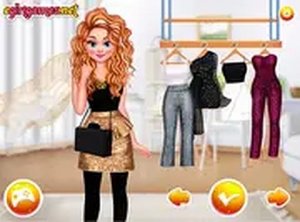
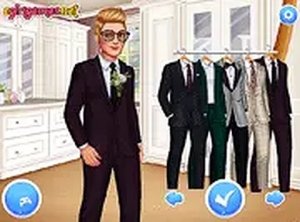
At the heart of Bridal Outfit Designer Studio is a straightforward process that puts you in charge of every detail. You begin by picking a base gown from a curated collection that includes both classic and contemporary silhouettes. From there, you can layer accessories such as veils, necklaces, and earrings to add personal flair. The interface responds to mouse clicks or touch inputs, allowing you to drag items onto the model and see how they look together. Because there are no timers or scoring systems, you can spend as much time as you like trying different combinations.
Visual Customization Options
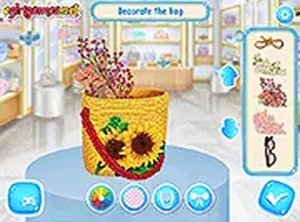
The game provides a variety of visual elements to help you achieve a cohesive bridal theme. Hairstyles range from updos to flowing curls, and you can pair them with bouquets that introduce color and texture. Backgrounds can be swapped to match different wedding settings, such as garden, chapel, or beach scenes. Each item is rendered with clear, attractive graphics that make the styling process feel immersive. The combination of these choices lets you create looks that feel complete from head to toe.
Creative Freedom Without Pressure
Unlike many fashion games that emphasize competition or speed, Bridal Outfit Designer Studio focuses entirely on creative expression. You can experiment freely, mixing unexpected colors or styles without worrying about losing points. This relaxed approach makes the game suitable for players of all ages who enjoy fashion as a form of art. The absence of strict rules encourages you to try new ideas and discover what works best for your vision. It is a space where imagination takes priority over performance.
Saving and Sharing Designs
Once you have completed a design, the game allows you to save it for later viewing. You can also share your creations with friends or family, making it easy to get feedback or simply show off your work. This feature adds a social dimension to the experience without requiring real-time interaction. Saved designs can be revisited and modified, giving you the opportunity to refine your ideas over time. The sharing option is designed to be simple and safe, keeping the focus on positive interaction.



Comments
Sign in to leave a note
You must be logged in before posting a review or rating.
No account? Create one
No comments yet. Be the first to comment!