
Reviews
Blocky Battlefield Online delivers straightforward arena combat through a browser, with no installation required. Its voxel art style keeps characters and maps readable during fast matches, while free-for-all and team modes offer different priorities. The ability to host servers, join global matches, or add computer opponents provides flexibility for different play situations. Map variety encourages tactical adjustments rather than relying on one approach. The game suits players who want quick, accessible multiplayer sessions with a gentle learning curve.
Description
Voxel Visuals and Readability
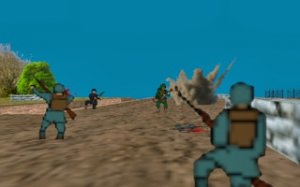
The game's blocky, voxel-based art style does more than establish a friendly look. Clean geometry and colorful pixel textures make opponents easy to spot against varied backdrops, which matters during fast matches. Because characters and environments share the same visual language, tracking movement across open areas or through corridors stays consistent, reducing the chance of losing a target in visual noise.
Two Ways to Compete
Free-for-all mode asks each player to secure the highest personal score by outmaneuvering everyone else. Team-based mode shifts the focus to group coordination, where controlling key areas and supporting teammates matters more than individual performance. Both formats reward quick thinking and precise movement, but they demand different priorities: solo play favors opportunistic positioning, while team play depends on shared map control and timing.
Maps That Shape Tactics
Several distinct maps provide environments that influence how engagements unfold. Some areas offer open sightlines suited to long-range exchanges, while others feature tight corridors and cover for close-quarters encounters. Learning each layout helps players anticipate opponent routes and find advantageous positions. This variety keeps matches from feeling repetitive and encourages players to adjust their approach based on the terrain rather than relying on a single strategy.
Access and Match Options
Players can host their own server to invite friends or join existing matches with a global community. A quick play feature provides immediate access to active games, and computer-controlled opponents can fill matches or serve as practice for newcomers. Keyboard and mouse controls keep the learning curve gentle, with movement, aiming, and interaction handled through standard inputs. Full-screen mode is available, and because the game runs entirely in a desktop browser, no download or installation is required.
Compatibility
FAQ
Comments
Sign in to leave a note
You must be logged in before posting a review or rating.
No comments yet. Be the first to comment!






Editorial Notes