
About This Game
Game Introduction
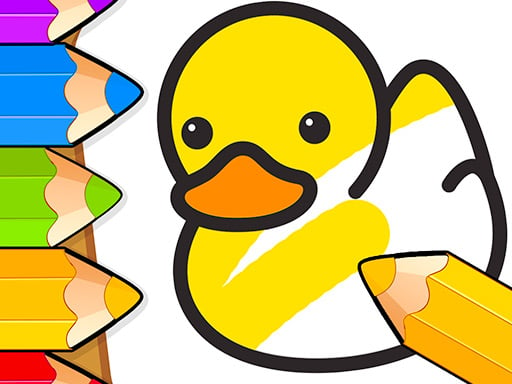
Creative Kids Art Studio Online provides a welcoming digital environment where young users can explore their artistic side. The activity centers on coloring pre-designed images and creating original drawings on a blank canvas. A collection of decorative stickers allows for additional personalization. The experience is designed to be stress-free, with no timers or scoring systems, encouraging children to work at their own pace. This approach supports relaxation and focus while promoting color recognition and fine motor skills. The interface is straightforward, making it accessible for even the youngest participants. Parents can feel confident that the activity is wholesome and constructive. The combination of guided coloring options and open-ended free drawing offers a balanced creative outlet. This activity is available entirely online without any downloads, ensuring easy access on various devices. The primary goal is to foster creativity and provide a positive, enriching pastime for families.
How to Play
Players begin by selecting a pre-drawn picture or choosing the blank canvas option. Using a digital color palette, they can fill areas of the picture with their chosen colors. The controls are simple, typically involving a tap or click to apply color. Decorative stickers can be added to enhance the artwork. For the blank canvas, digital drawing tools allow for freehand creation. There are no time limits or scores, so children can proceed at their own speed. The process is intuitive and designed for independent use by young children. The activity ends when the child is satisfied with their creation.
Game Features
Creative Kids Art Studio Online includes a variety of pre-selected pictures for coloring. A blank canvas option supports free drawing and unrestricted creativity. A collection of cute stickers is available for decoration. The color palette offers a range of colors for selection. The controls are designed to be simple and accessible for young children. The activity is free to play online and requires no downloads or installations. The interface is clean and child-friendly, minimizing distractions. The blank canvas mode may include basic drawing tools such as brush size options.
Tips for Success
Encourage children to experiment with different color combinations and sticker placements. Starting with pre-selected pictures can build confidence before moving to the blank canvas. Regular practice helps develop fine motor skills and color recognition. Allow children to explore freely without pressure, as the main goal is creative expression and fun. Fostering independence in their choices nurtures a love for art.





Comments
0 comments